Imagine you’re managing credit memo records from your customers in AnyDB and you want to get the sum of these records’ amounts.
To do that, you need to:
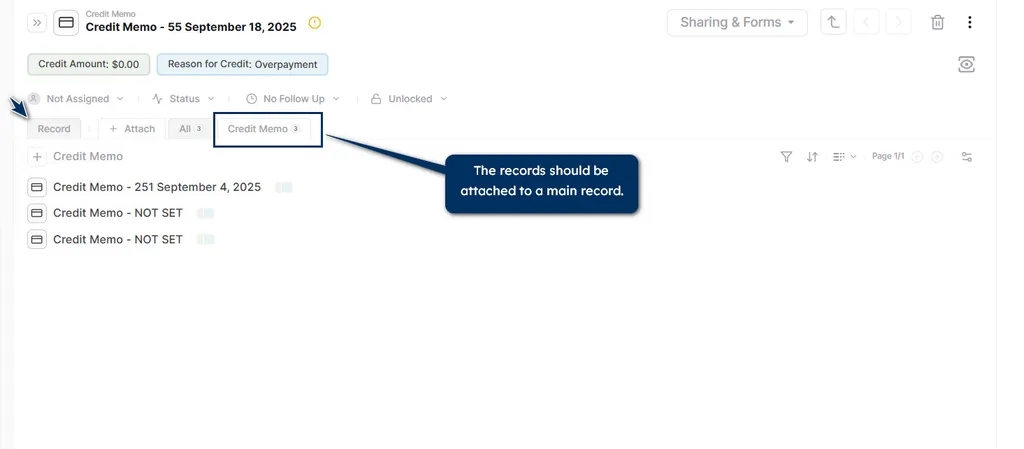
Step 1: Attach all credit memo records to a single main record, such as a dashboard or a home page.
Step 2: Go to the main record, select the cell where the total amount will be shown, and add the formula: SUM (C@CURRREC!A1).
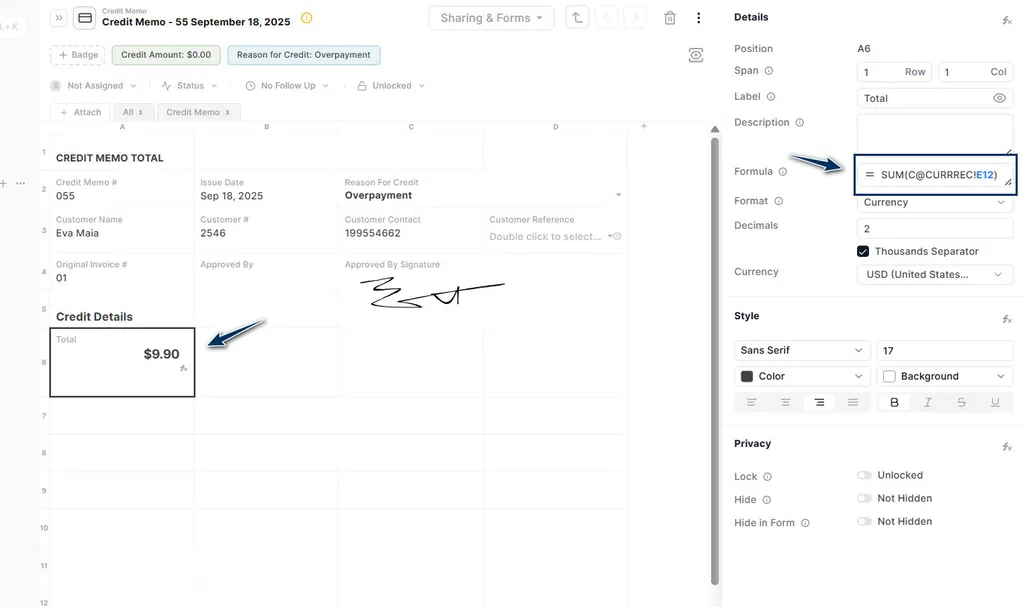
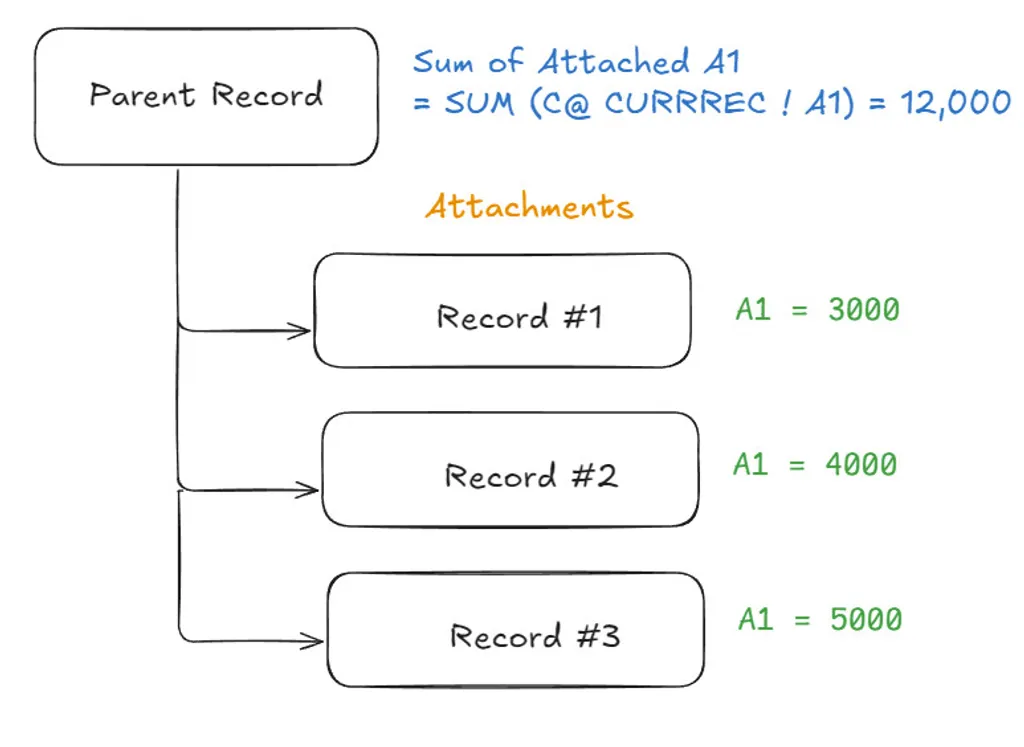
- “A1” indicates the cell reference of the attached records. Here is the reasoning:
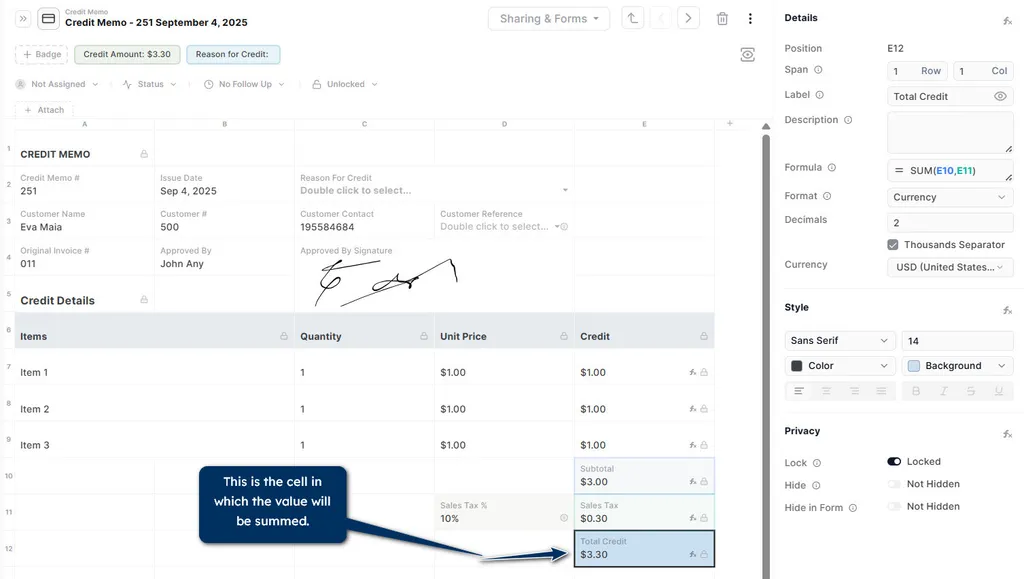
Step 3: Change “A1” reference cell to the one that has the desired value.
Benefits:
You can automate powerful calculations and perform various operations on your data, such as summing values or getting the average, across multiple records like invoices.
For more info, visit our tutorials page.