You can generate automated titles by combining multiple texts. To create a title cell that incorporates data from other cells, you can combine multiple text strings into one using the formula: CONCAT(text1, “ “, text2, “ “, …). Here is how:
- Select the master cell where you want the data to appear
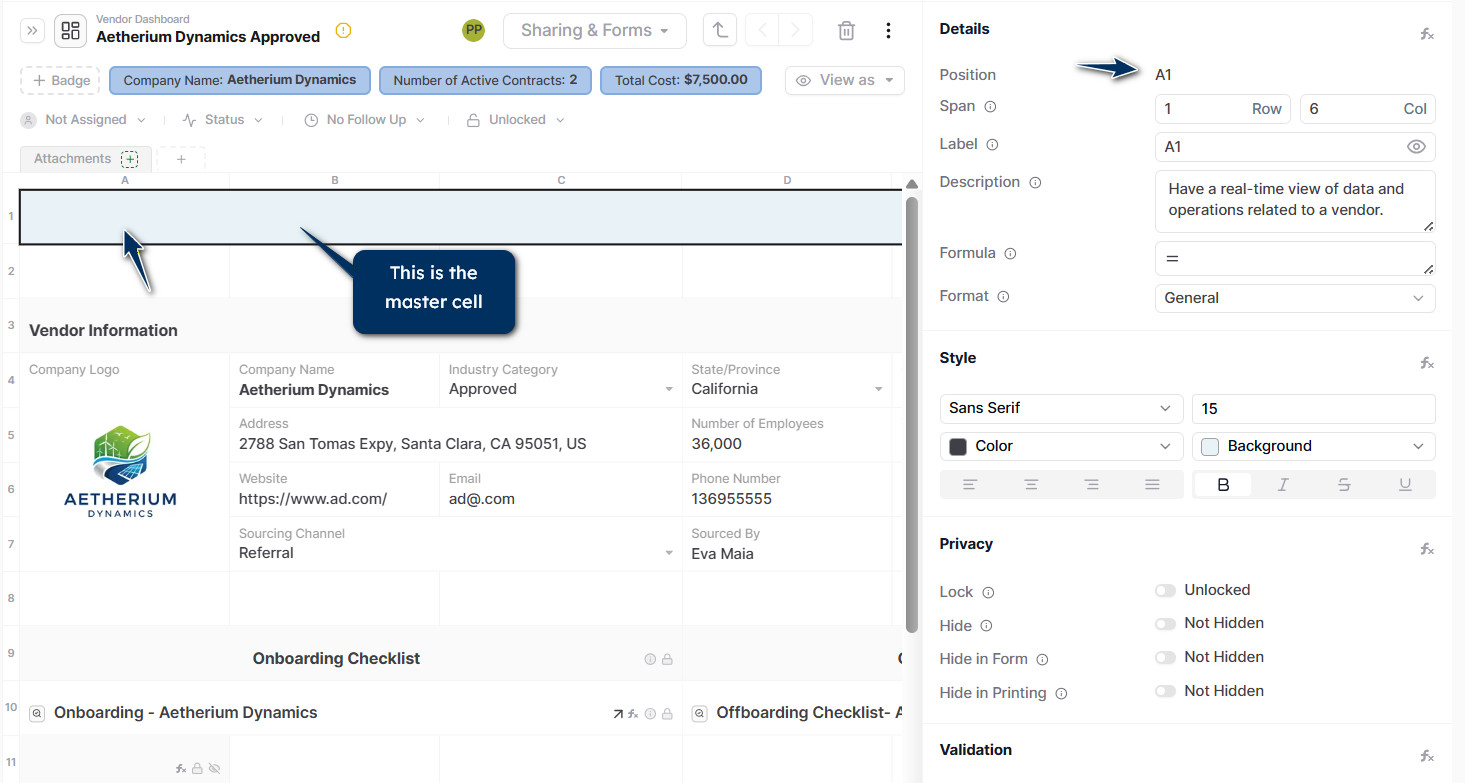
- Go to the formula field in the right sidebar and type or paste the formula = CONCAT(CELL, "BACKSPACE”, CELL,”BACKSPACE”, CELL,…)
- Press Enter
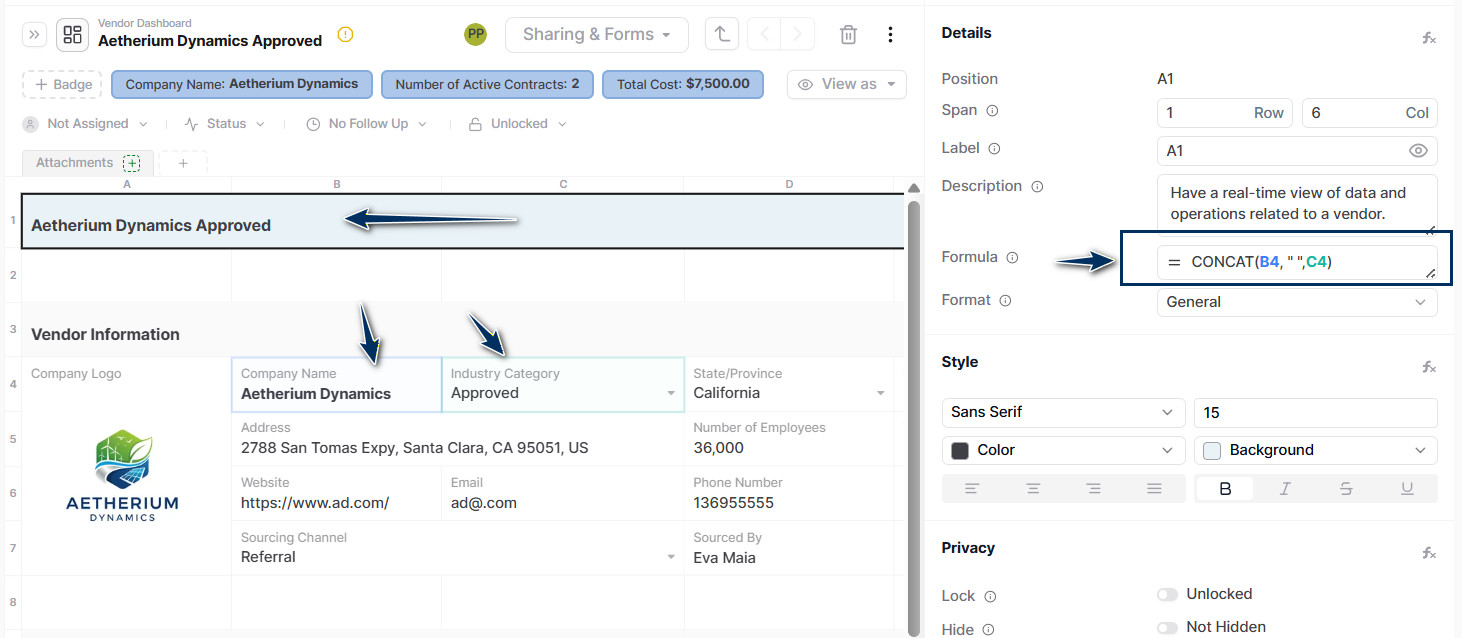
Any text change made in one of those cells will be automatically displayed in the master cell.
Now, if you want to include some fixed text in the master cell, you can add “fixed part” to the formula: = CONCAT(“Company name:“, “ “, B4, “ “, C4)
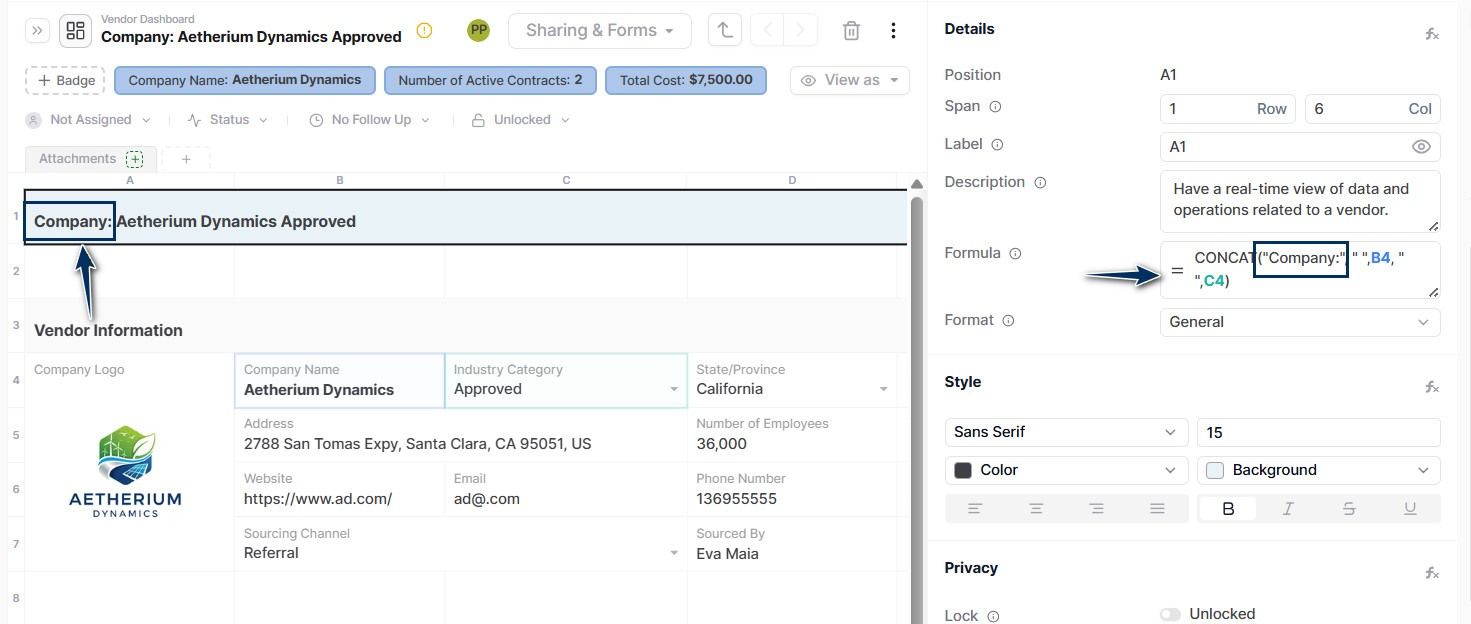
Benefits:
You can easily see what a record is about and its current status and key details in a single line. Also, you can save time by copying and pasting the formula into master cells as needed.
To see more formulas, please, check out: AnyDB Formulas