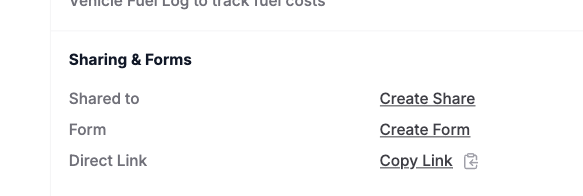
I used Copy-link a record and next emailed that record-link to a test-person outside my team (like an external partner). That test-person received the link and opens it. Works okay.
But that test-person then also sees the left-side menu of AnyDB. I think that this is confusing for him. Test-person should only see the form with the content of the specified record.
Test-person can click on left side menu, select type and next list all the records of that type and open them. That is not what I expected. Is this a bug or a feature that can be controlled with permissions?
Can you give more details on this? Is the external member accessing it without login? or is that person part of your team? The way to give access to a specific record is using share record option. the share link option is simply a way to point to a record to someone who already has access to the resource (the link doesnt give any access. Share on the other hand gives access) - Also be sure you are not logged in to the same browser (in which case the cookies will be active and give authenticated access). you should be validating in a unauthenticated/incognito browser
i used copy link from the right-side menu and next emailed that link to another email-adres of myself (not a team-member).
Next I opened the link in Incognito tab in Chrome on the same computer.
I suspect that AnyDB automatically took the credentials of the sender/record-owner. That’s why I could see all te records in stead of only the record-copy-link one.