Flexible ERP Alternative
Built for Business Operations

Replace rigid ERPs for Operations.

Create connected, object-based systems tailored to your business operations, data, files, teams, and workflows.

Unlimited guest accounts, unlimited records, built-in portals, and document generation.

What can you build with AnyDB?

  • Operations Projects
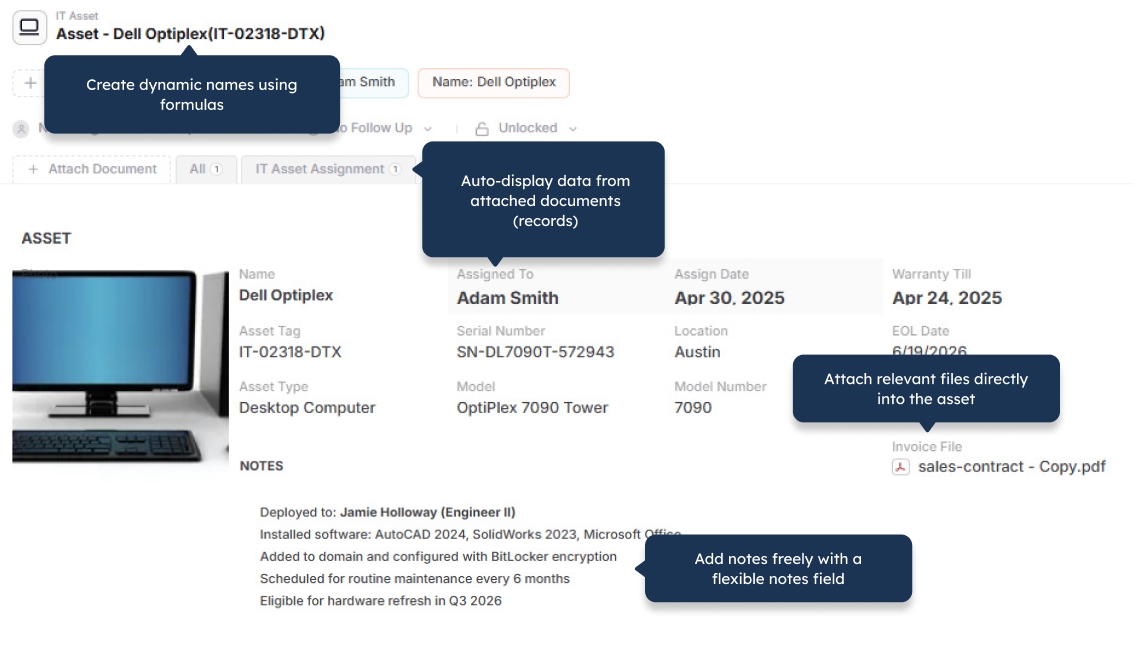
  • IT Asset Management
  • Workplace Inspections
  • Employee Records
  • Approval Workflows
  • CRM and Companies
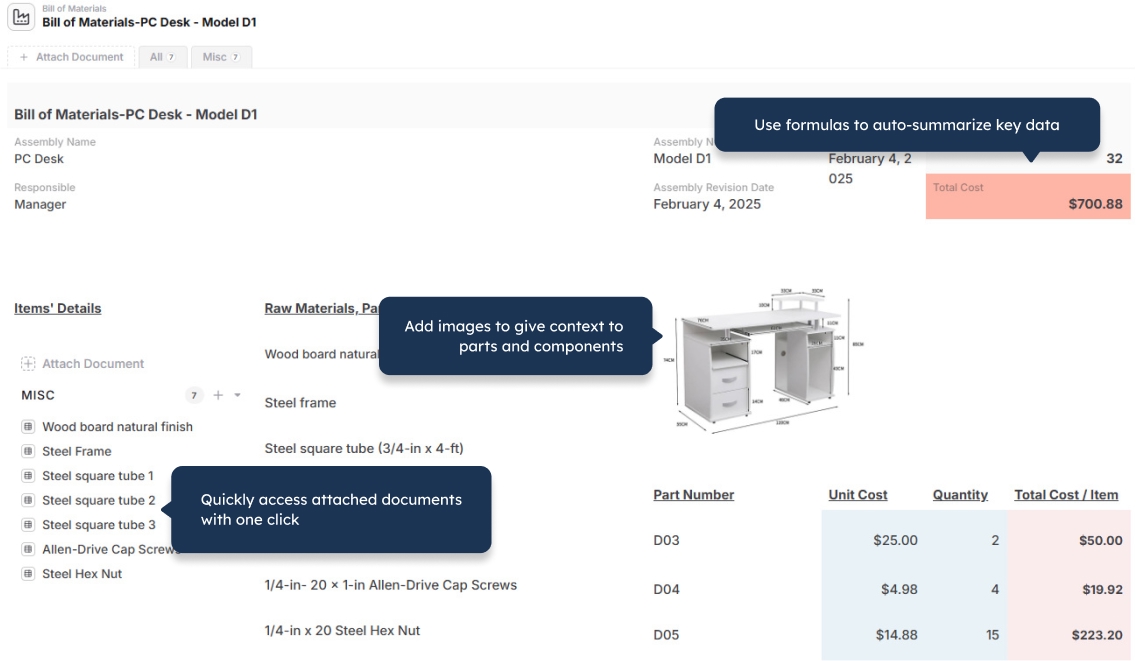
  • Bill of Materials
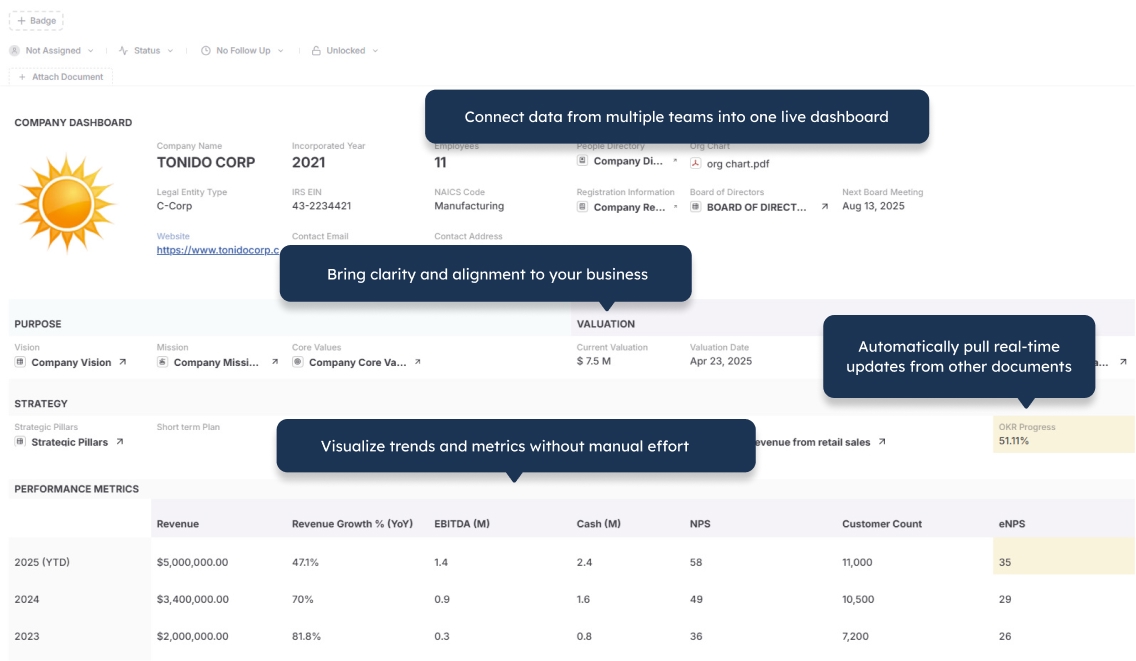
  • Company Dashboard
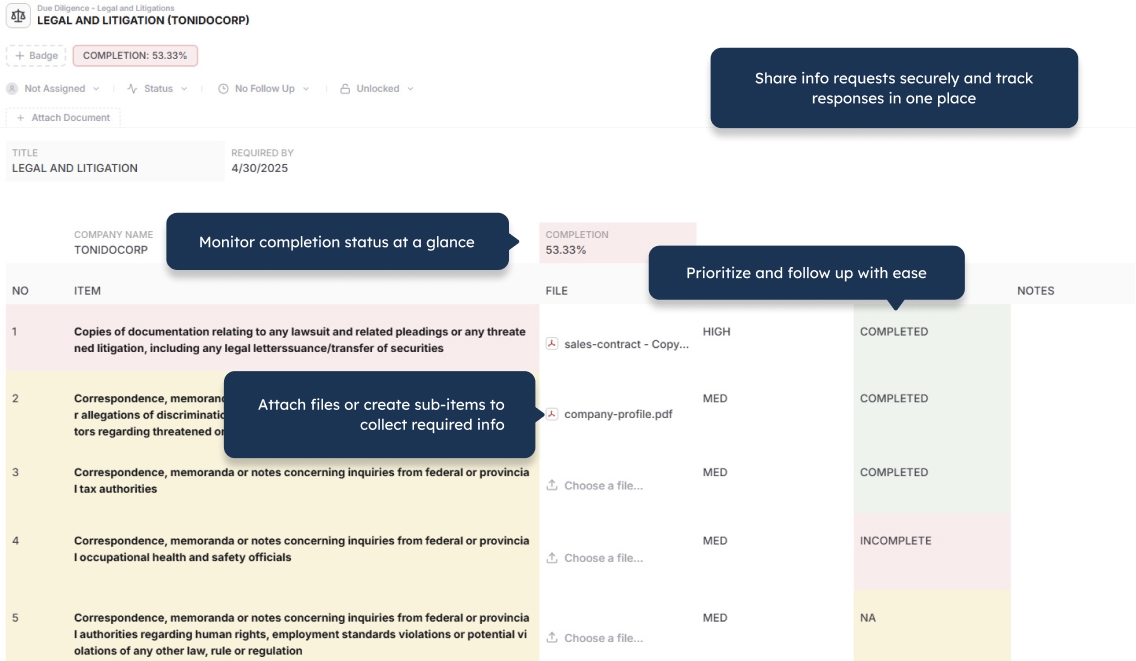
  • Due Diligence
  • Purchase Orders
  • Timesheets
  • NPS Surveys
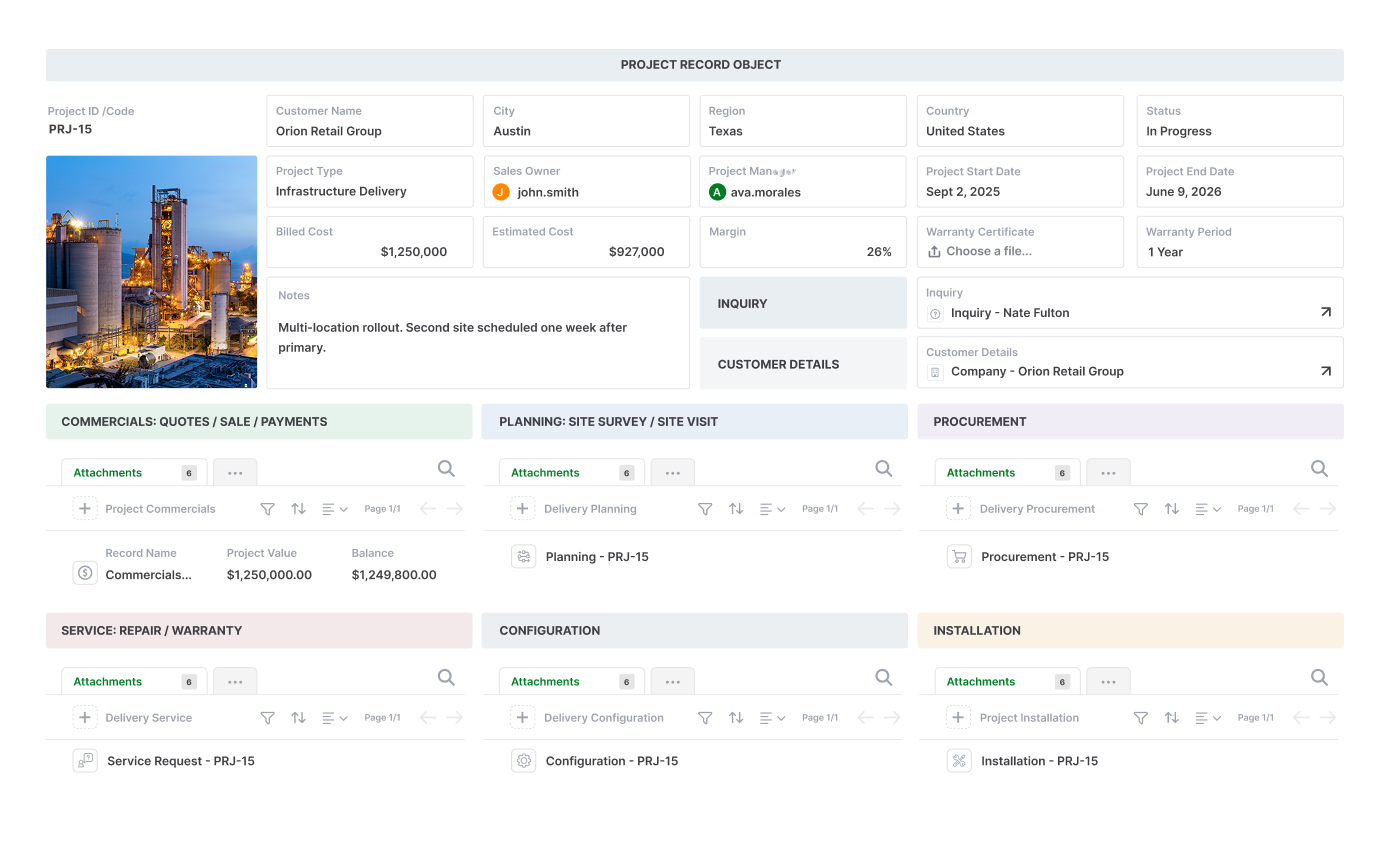
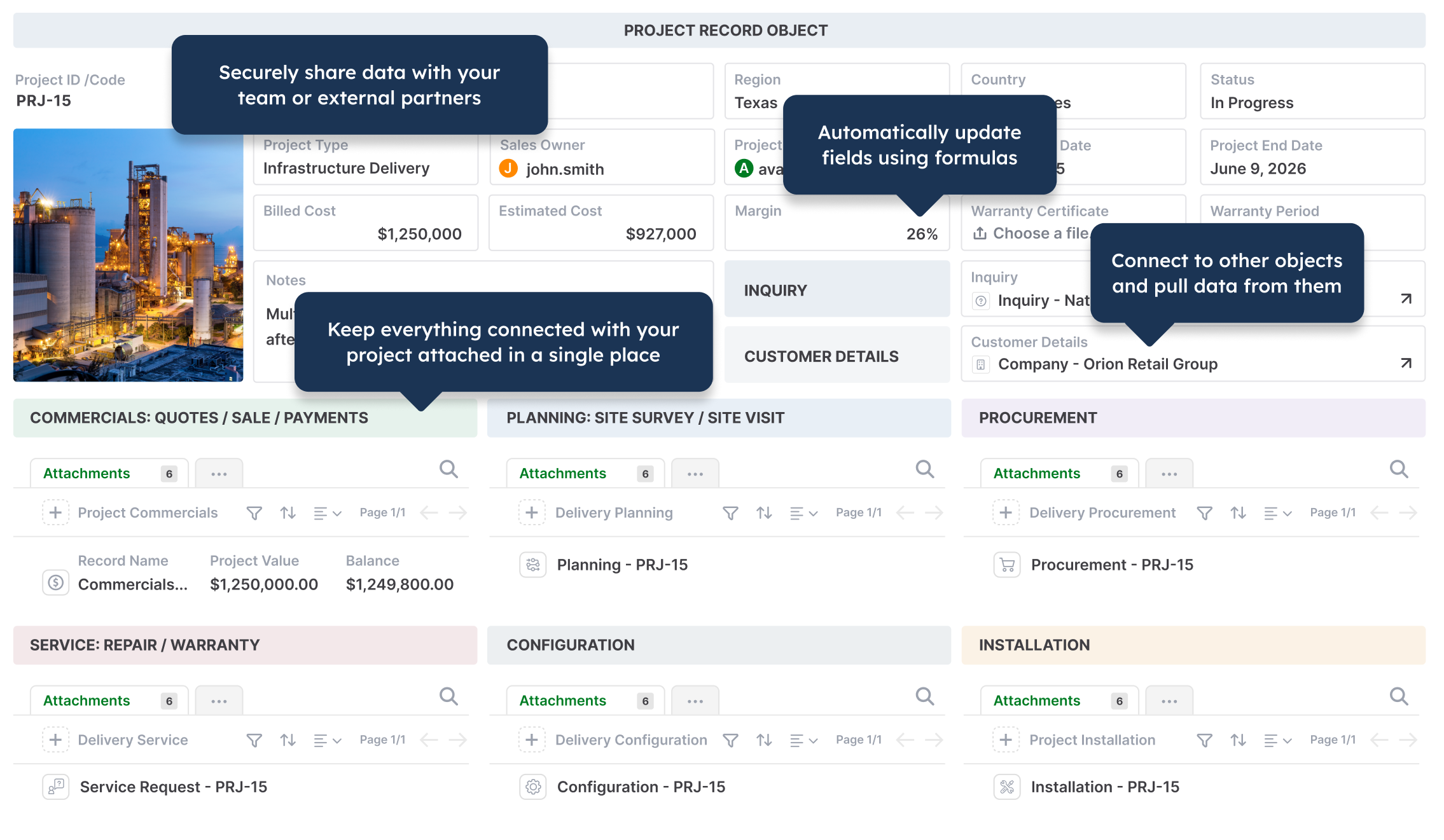
Operations project management in AnyDB
IT asset management in AnyDB
Workplace inspection checklist in AnyDB
Employee records in AnyDB
Approval workflows in AnyDB
CRM and company records in AnyDB
Bill of materials in AnyDB
Company operations dashboard in AnyDB
Due diligence management in AnyDB
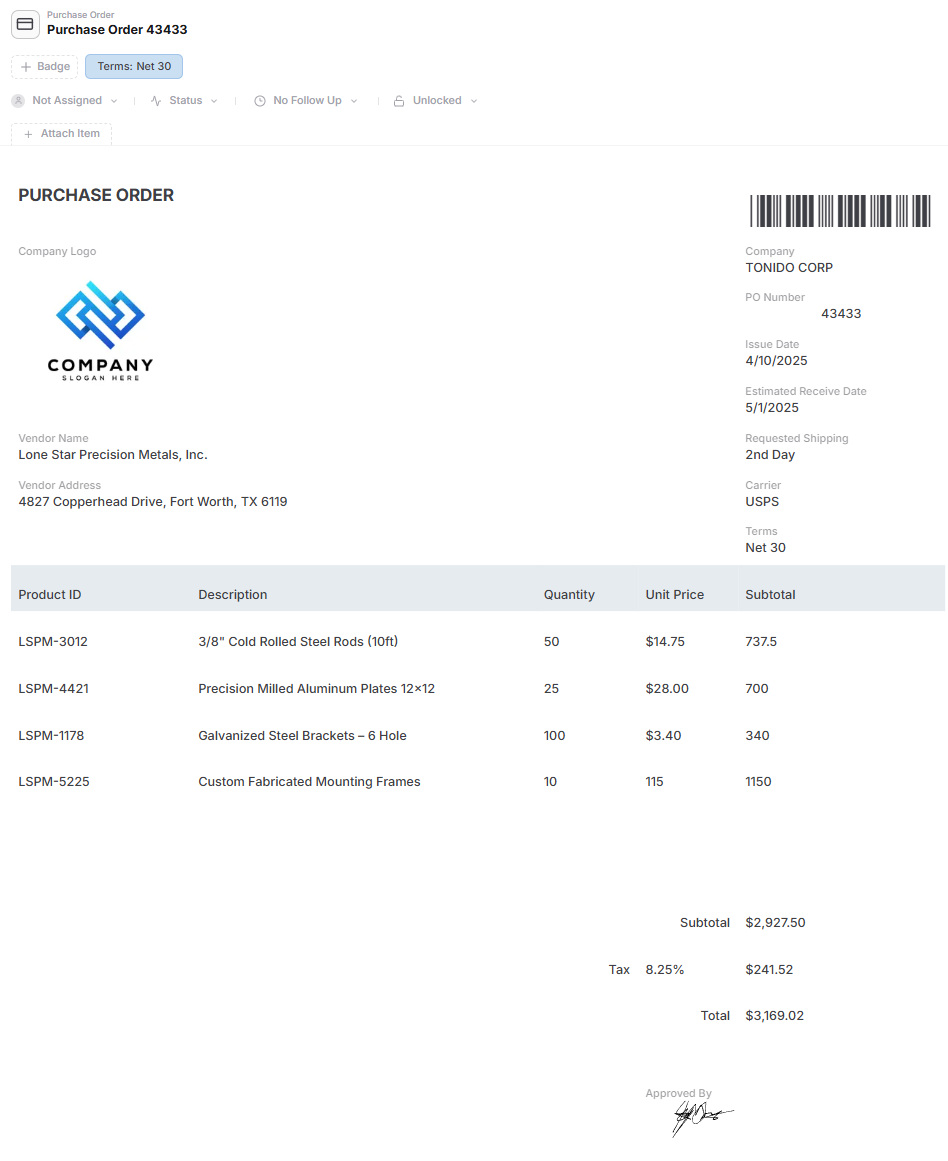
Purchase order management in AnyDB
Timesheet management in AnyDB
NPS survey management in AnyDB

Main Benefits

Build Around Real Business Objects

Model customers, orders, inventory, projects, assets, vendors, locations, requests, and other operational records in a structure that matches how your business works.

Manage Complex Record Hierarchies

Use child records for line items, tasks, components, inspections, maintenance history, approvals, and other structured details without forcing everything into rigid modules.

Connect Operations Across Your Business

Link records, workspaces, teams, files, and workflows so purchasing, inventory, projects, vendors, customers, and compliance remain connected.

The Record Layout Is the Interface

Bring fields, child records, linked records, files, pages, actions, history, and related information together in one operational layout.

Adapt as Operations Change

Adjust fields, views, forms, relationships, permissions, workflows, and automation directly as your process evolves.

Extend Operations Through Portals

Give customers, vendors, contractors, and partners secure access to records, forms, files, and updates through built-in portals.

Generate Documents From Live Data

Create PDFs, Word documents, spreadsheets, reports, purchase orders, certificates, and operational forms directly from current records.

Keep Files, Workflows, and Data Together

Keep documents, approvals, assignments, reminders, comments, and automation connected to the records they belong to.

Start With One Workflow

Launch one operational process first, prove the system with real data, and add connected systems as your needs expand.

Explore how AnyDB organizes business records, operations, files, and portals

Where ERP Becomes Harder for Custom Operations

  • Workflows often need to follow predefined modules, structures, and process models
  • Unique requirements can create gaps between the standard system and the actual operation
  • Changes may require configuration, extensions, developers, or implementation partners
  • Extensive customization can increase testing, maintenance, and upgrade complexity
  • Implementation can involve process mapping, migration, integrations, testing, training, and change management
  • Specialized workflows may remain spread across spreadsheets, email, file storage, and separate applications
  • External access can require additional licensing, portals, permissions, or technical setup

AnyDB Is Built Around Your Operations

  • Create systems around customers, orders, inventory, projects, assets, vendors, and other operational records
  • Use child records for line items, tasks, components, inspections, activities, and structured details
  • Connect records, workspaces, teams, files, and workflows across one operational system
  • Adapt forms, views, fields, relationships, permissions, and automation as the operation changes
  • Give customers, vendors, contractors, and partners access through secure portals
  • Generate PDFs, Word documents, and spreadsheets directly from live records
  • Start with one workflow and add connected systems as your operational needs expand

ERP standardizes the core of the business.
AnyDB adapts to the operations that make your business unique.

Build connected systems around your actual workflows, records, files, teams, exceptions, and external participants.

ERP systems provide deep structure for accounting, purchasing, inventory planning, production, financial reporting, and enterprise governance. That structure is valuable when processes are stable, repeatable, and shared across the company.

Operational work often includes unique steps, customer requirements, files, approvals, exceptions, external participants, and changing responsibilities. When those processes do not fit the standard ERP model, teams may rely on custom development or continue managing part of the operation outside the ERP.

AnyDB is built differently.

AnyDB organizes work around complete business objects and the relationships between them. An order can contain line items and fulfillment activity. A project can contain tasks, files, approvals, and assigned teams. An asset can contain inspections, maintenance history, photos, and documents.

The system can be adjusted as the workflow changes, while records, permissions, files, history, and related processes stay connected.

ERP and AnyDB Serve Different Operational Models

ERP is strongest when a company needs standardized enterprise control across major functions. AnyDB is strongest when operations need a connected system that can adapt around unique or evolving workflows.

Comparison Area ERP AnyDB
Core model Integrated suite of standardized enterprise modules Custom operational system built around connected business objects
Best for Company-wide process standardization, financial control, and complex resource planning Operations-heavy businesses running unique or evolving workflows
Starting point Vendor modules, reference processes, and system requirements Your actual workflow, spreadsheet, database, or process notes
Setup model Formal implementation led by internal teams, consultants, or implementation partners Built with you directly by AnyDB, starting with one workflow
Data structure Master and transactional data organized around ERP modules Nested and connected business objects
Process design Fit-to-standard, configuration, and extensions where needed Workflows tailored around how the operation actually runs
Process changes May require analysis, configuration, development, testing, and deployment Fields, views, forms, relationships, and workflows can be adapted directly
Financial depth Strong support for accounting, consolidation, controls, tax, and financial reporting Operational financial records, calculations, documents, reports, and accounting integrations
Planning depth Can support MRP, demand planning, production planning, and advanced supply-chain functions Custom planning and tracking workflows designed around the operation
External users Access and licensing depend on the vendor, edition, and portal model Unlimited guest portal users included
Documents Standard documents are common; custom outputs may require configuration Native Word, PDF, and Excel generation from live records
Technical ownership Usually requires internal IT, administrators, consultants, or vendor partners Managed as part of the AnyDB platform with direct implementation support
Best long-term fit Companies that need standardized enterprise management across major functions Companies that need operational clarity, adaptability, and connected execution

Feature Comparison

ERP capabilities vary by vendor, edition, industry, and installed modules. This table compares the typical ERP model with the operational capabilities available in AnyDB.

Capability Typical ERP AnyDB
Finance and accounting Core strength in many ERP suites Operational financial records, calculations, reports, documents, and accounting integrations
Procurement and inventory Available through standardized modules Custom procurement and inventory systems built around the operation
Manufacturing and MRP Deep capabilities in manufacturing-focused ERPs Custom production, BOM, inventory, quality, and work-tracking workflows
Flexible data model Configurable within the ERP application and extension framework Included
Parent-child relationships Supported through module-specific data structures Native operational object model
Connected business objects Connected through the ERP data model and installed modules Built around nested and linked operational records
Custom operational workflows Configuration or extensions may be required Purpose-built
Forms and flexible views Available within modules or through additional tools Forms, table, list, cards, calendar, reports, and custom pages
Automation Available through ERP workflows and extension tools Included
Files and attachments Available, with capabilities varying by module and document setup Built around the operational record
Native document generation Standard outputs are common; custom outputs may require configuration Word, PDF, and Excel generation included
External portals Depends on vendor products, licensing, and implementation Included
Unlimited guest users Depends on vendor and licensing model Included
Granular permissions Strong role-based controls; scope varies by module and implementation Workspace, role, record, and field-level access
Assignments and reminders Available depending on module and workflow configuration Built into operational records
Comments and collaboration Depends on the ERP and connected collaboration tools Built into operational records
History and audit trail Common for controlled ERP transactions Built into operational workflows and records
Mobile access Available through vendor applications and configured mobile experiences Mobile access, notifications, photos, and barcode or QR scanning
Deployment Cloud, private cloud, or on-premises options vary by vendor Cloud, private cloud, and self-hosted options
Implementation support Internal teams, consultants, vendor partners, and technical specialists Built with you directly by AnyDB
Best fit Organizations standardizing major enterprise functions Operations teams that need a connected, adaptable system of record

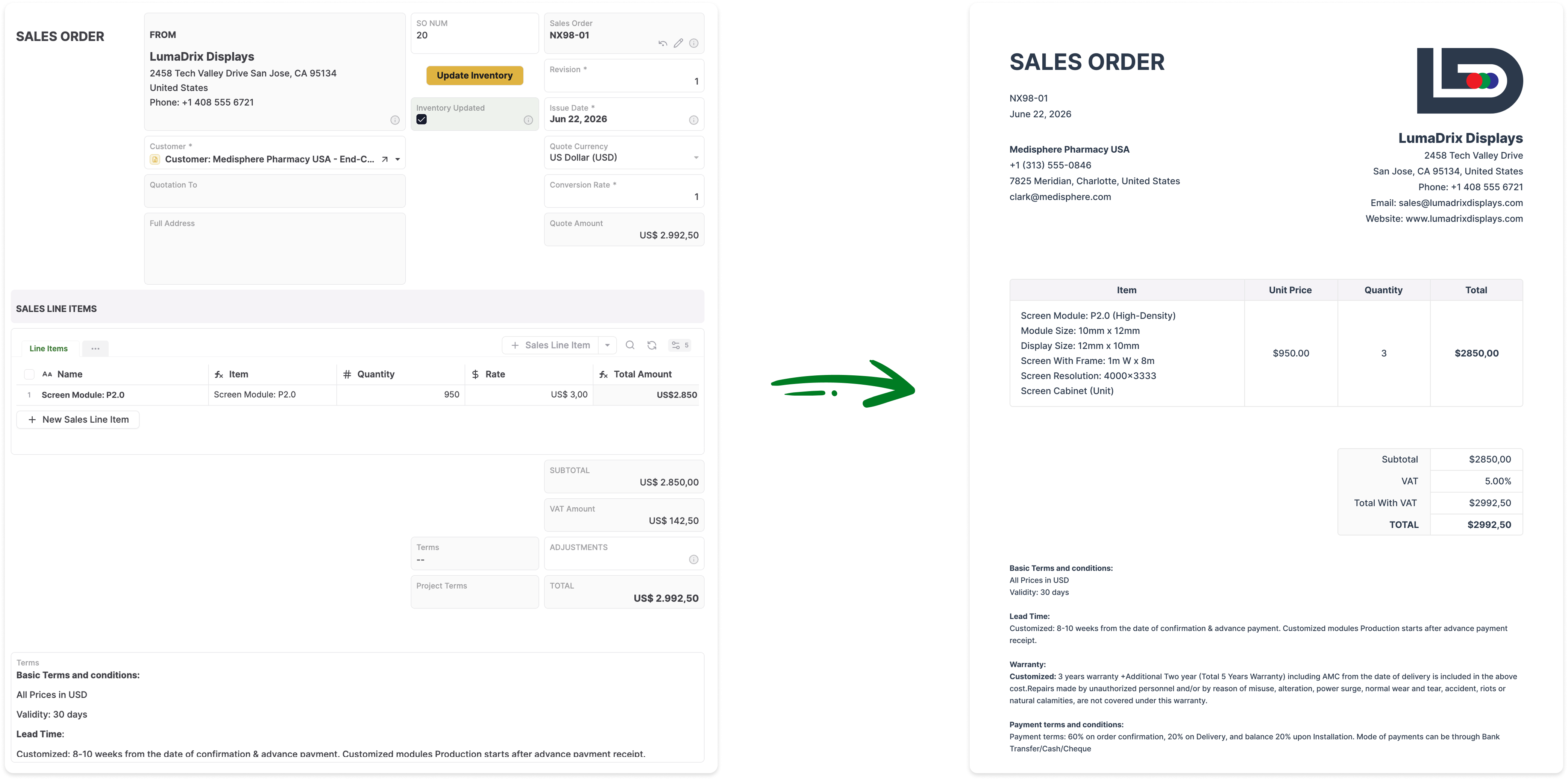
Generate Documents Directly From Your Live Records

Turn AnyDB records into professional, ready-to-share PDFs / Docx / XLSX with fields, linked data, tables, terms, and other relevant information automatically included.

How it Works?

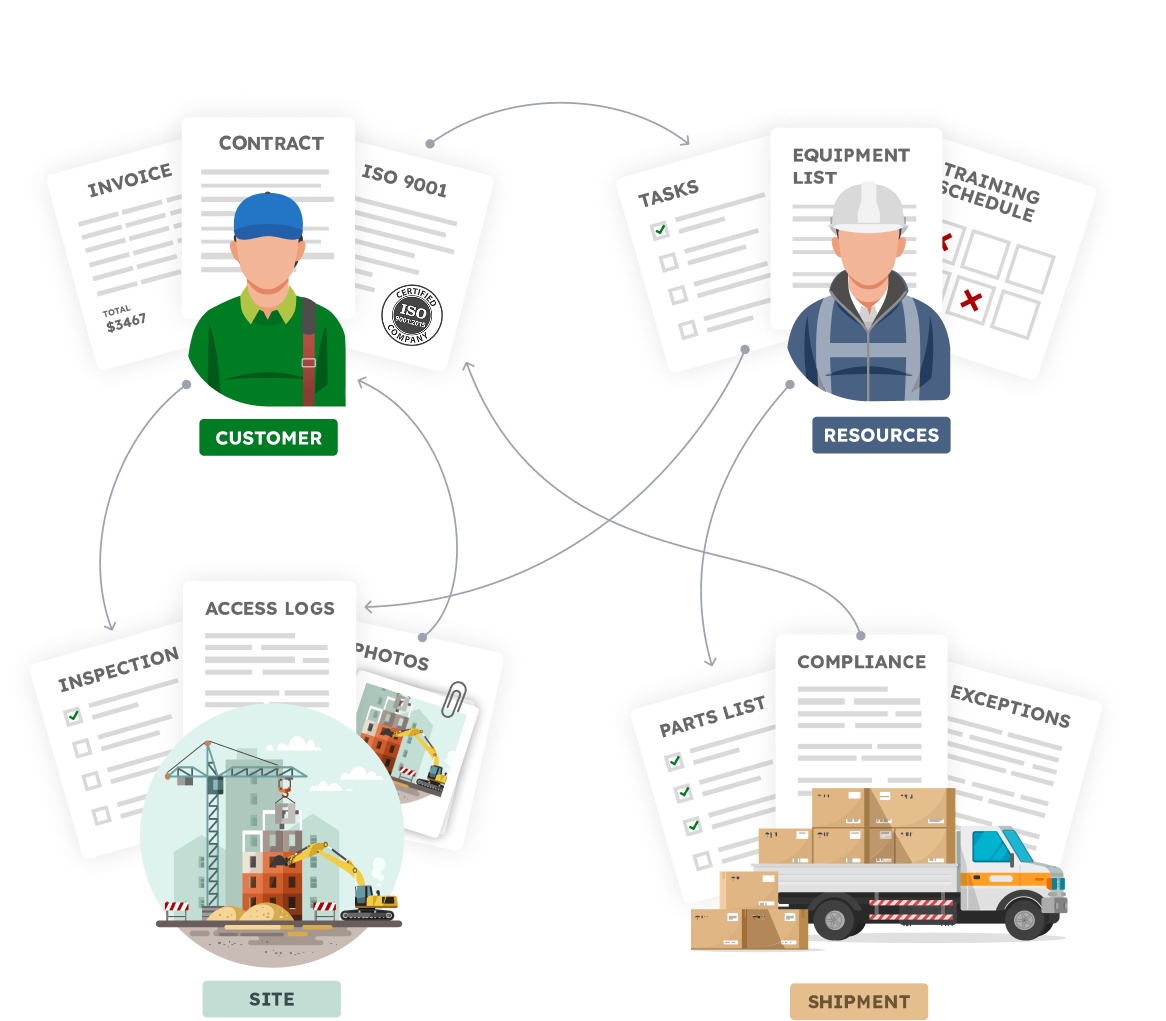
Your Business is made of Real Things

  • A vendor with certifications, contracts, invoices
  • A site with inspections, photos, access logs
  • An employee with tasks, training, equipment
  • A shipment with parts, compliance documents, exceptions

Define your structure, connect your data,
and automate how work flows.


Familiar to use.Built for real operations.


Reuse familiar spreadsheet skills.
Design record and form layouts in a 2D grid

See What Your Operations Would Look Like in AnyDB

Build a connected operational system around your workflows, records, files, teams, and external users.

Start Free Schedule Demo

Frequently Asked Questions

Is AnyDB a full ERP replacement?

AnyDB can replace ERP-like systems used for custom operations, inventory, purchasing, orders, projects, assets, vendors, approvals, compliance, and related workflows. It is not positioned as a replacement for every ERP function, especially deep accounting, consolidation, tax, payroll, or advanced MRP. AnyDB can also work alongside an accounting or ERP system.

When is AnyDB a better fit than an ERP?

AnyDB is a strong fit when the operation is unique, changes frequently, involves files and external participants, or does not map cleanly to standard ERP modules. It is also useful when a team needs to launch one workflow quickly and expand gradually.

When is an ERP the better choice?

An ERP is often the better choice when a company needs deep, standardized capabilities across accounting, financial consolidation, tax, payroll, MRP, demand planning, or large-scale enterprise governance. AnyDB can complement those systems by managing specialized operational workflows around them.

Can AnyDB connect to an existing ERP or accounting system?

Yes. AnyDB can be used as the operational layer around an ERP or accounting platform. Records, workflows, documents, and external interactions can be managed in AnyDB while key financial or master data is synchronized through integrations or automation.

Can AnyDB manage inventory, purchasing, and orders?

Yes. AnyDB can support custom inventory, purchasing, receiving, transfers, order management, fulfillment, vendor management, and related operational workflows. The system can be designed around the exact records, statuses, approvals, locations, and documents your operation requires.

Does AnyDB support manufacturing and bills of materials?

Yes. AnyDB can support bills of materials, components, production records, work orders, quality checks, inventory movements, and related workflows. Organizations needing advanced MRP, demand planning, or highly specialized production scheduling should evaluate whether an ERP or dedicated manufacturing system is more appropriate.

Can AnyDB support external customers, vendors, and contractors?

Yes. AnyDB includes secure portals for customers, vendors, partners, contractors, and other external users. You control which records, files, fields, forms, and actions each user can access.

Can AnyDB generate business documents?

Yes. AnyDB can generate PDFs, Word documents, spreadsheets, reports, purchase orders, certificates, work documents, and other outputs directly from live record data.

How long does it take to get started?

You can begin with one workflow rather than launching a company-wide implementation. Share your spreadsheet, database, ERP process, or workflow notes, and the AnyDB team can help model and build the first working system using your real process.

Can AnyDB be deployed privately or self-hosted?

Yes. AnyDB supports cloud, private cloud, and self-hosted deployment options for organizations with specific infrastructure, security, or data-control requirements.