Excel Alternative
Built for Business Operations

Move beyond spreadsheets used as shared operational systems. Build connected, object-based systems for customers, orders, inventory, projects, assets, vendors, and workflows.

Unlimited guest accounts, unlimited records, built-in portals, and document generation.

Free Demo / Setup
Book a demo and let us set up AnyDB for you. Free of charge!

What can you build with AnyDB?

  • Operations Projects
  • IT Asset Management
  • Workplace Inspections
  • Employee Records
  • Approval Workflows
  • CRM and Companies
  • Bill of Materials
  • Company Dashboard
  • Due Diligence
  • Purchase Orders
  • Timesheets
  • NPS Surveys
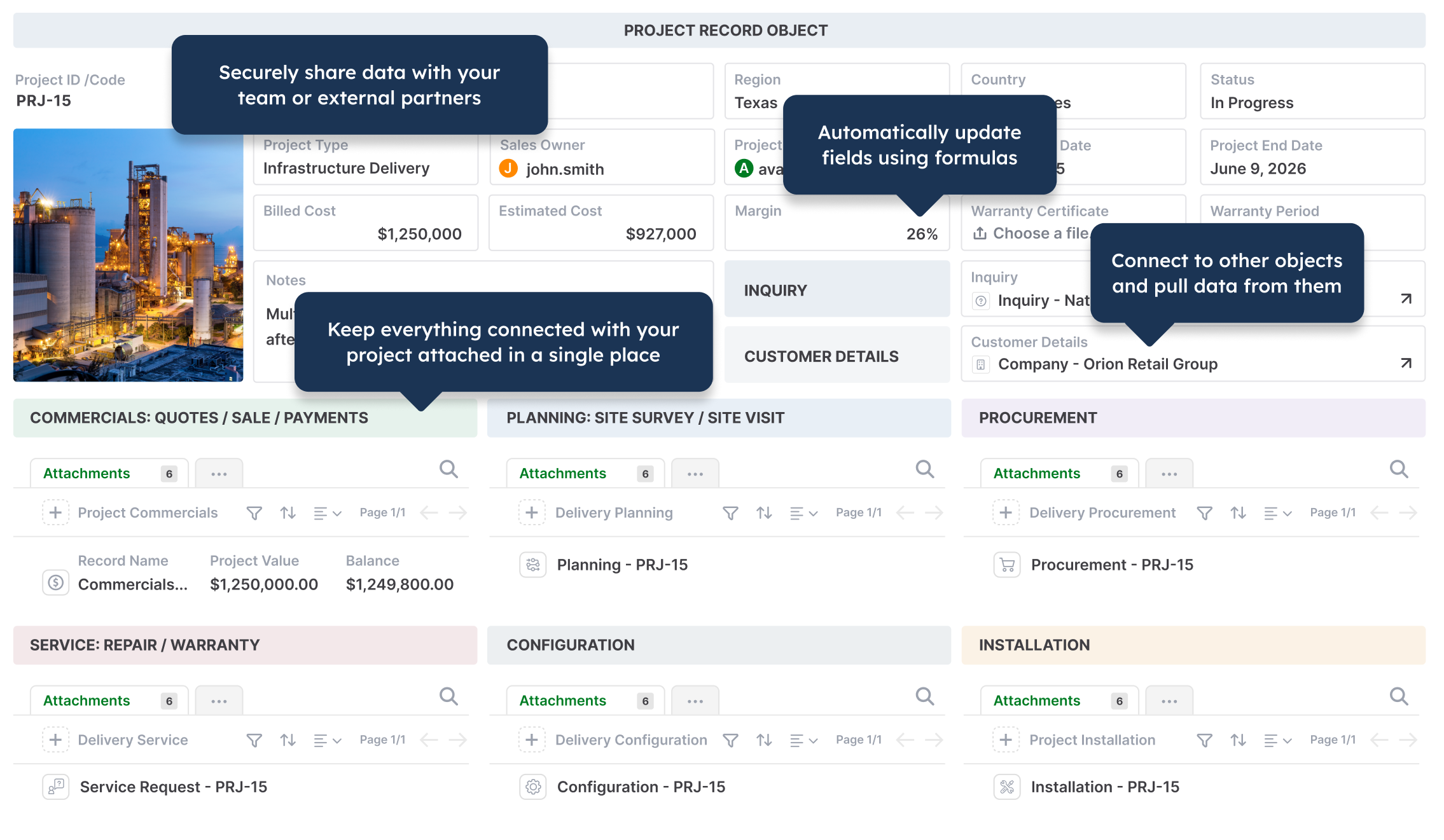
Operations project management in AnyDB
IT asset management in AnyDB
Workplace inspection checklist in AnyDB
Employee records in AnyDB
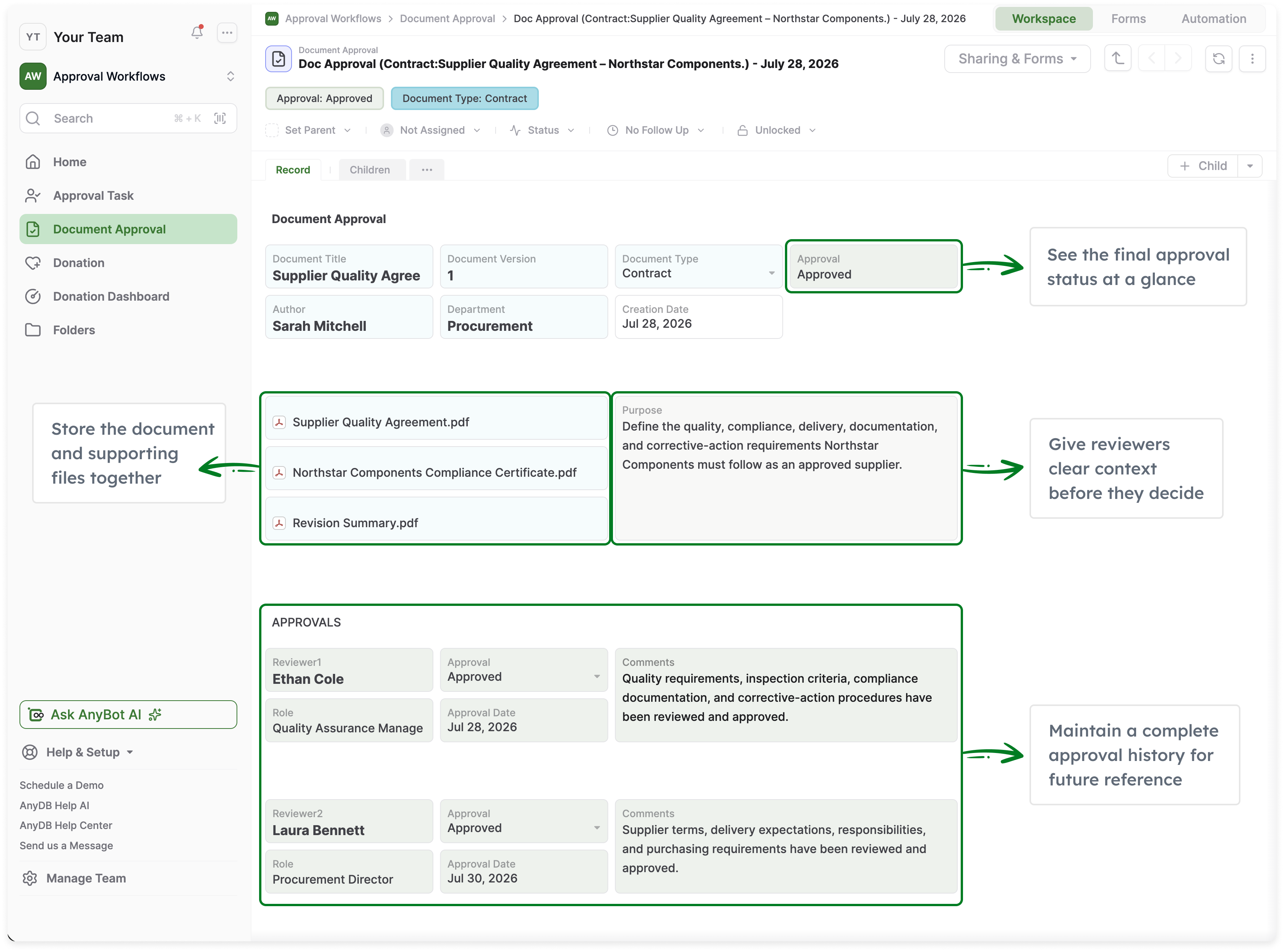
Approval workflows in AnyDB
CRM and company records in AnyDB
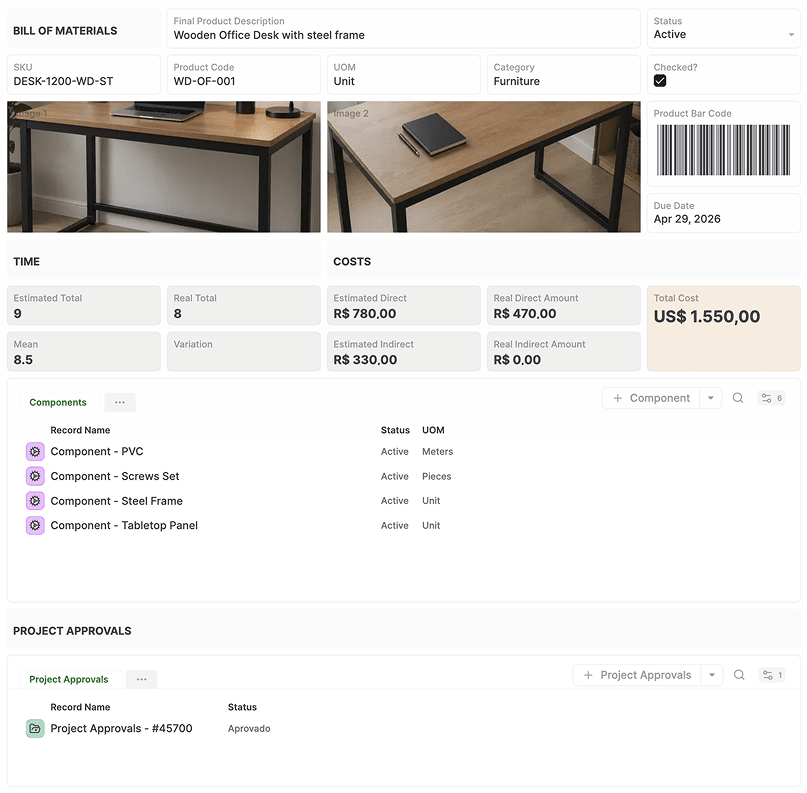
Bill of materials in AnyDB
Company operations dashboard in AnyDB
Due diligence management in AnyDB
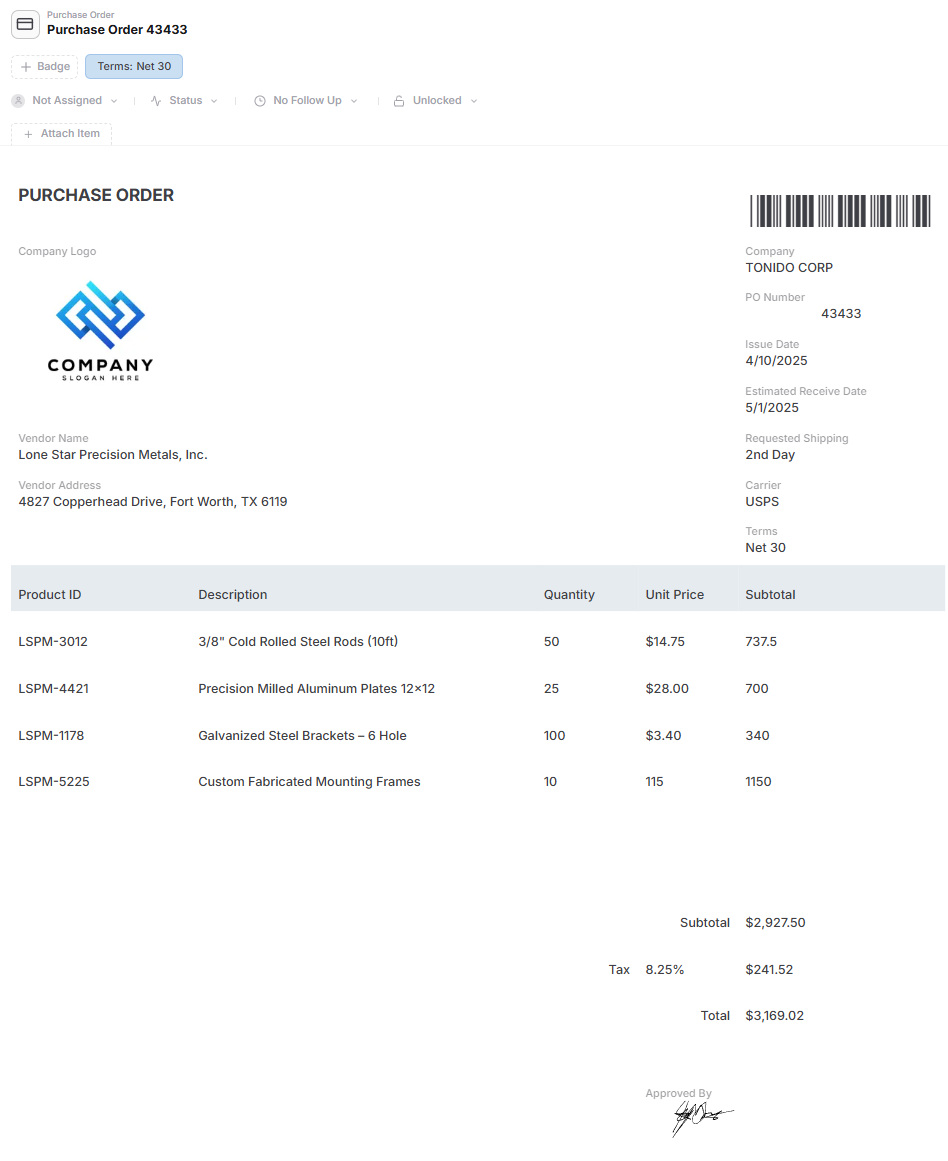
Purchase order management in AnyDB
Timesheet management in AnyDB
NPS survey management in AnyDB

Main Benefits

Spreadsheet Familiarity, Operational Structure

Work in familiar grid-based layouts while gaining structured records, relationships, permissions, workflows, and history.

One Live System Instead of Multiple Files

Keep operational data connected instead of distributing it across workbooks, tabs, shared drives, and email attachments.

Connect Real Business Records

Link customers, orders, inventory, vendors, projects, assets, and files without maintaining lookup formulas across separate workbooks.

Manage Complex Record Hierarchies

Use child records for order line items, project tasks, product components, inspections, maintenance history, and other structured details.

Collect Structured Data Through Forms

Let employees, customers, vendors, and partners submit information directly into the right records without sending spreadsheet copies.

Control Access Precisely

Manage access by workspace, role, record, or field instead of sharing an entire workbook with everyone.

Automate Operational Work

Add assignments, reminders, approvals, status changes, notifications, and automation without depending on macros or manual follow-up.

Generate Documents From Live Data

Create PDFs, Word documents, spreadsheets, reports, invoices, purchase orders, and operational forms directly from current records.

Built-In Record History and Files

Track who changed what and keep attachments, supporting documents, comments, and activity with the records they belong to.

Explore how AnyDB organizes business records, operations, files, and portals

Where Excel Becomes Harder for Business Operations

  • Business information becomes spread across workbooks, tabs, shared drives, and email attachments
  • Teams repeatedly copy and paste data to keep files and departments in sync
  • Reports and trackers must be rebuilt or refreshed manually
  • Relationships between customers, orders, products, vendors, projects, and assets depend on formulas and conventions
  • Permissions usually apply to the workbook instead of specific records, fields, or operational roles
  • Forms, approvals, reminders, and workflows require additional tools, macros, or manual follow-up
  • Critical spreadsheets can become dependent on the one person who understands how they work

AnyDB Turns Spreadsheets Into Connected Systems

  • Create structured records for customers, orders, inventory, projects, assets, and vendors
  • Connect related records across teams without duplicating data between files
  • Use child records for line items, tasks, components, inspections, and activity
  • Collect structured information through forms and secure external portals
  • Control access by workspace, role, record, and field
  • Add assignments, reminders, approvals, dashboards, and automation
  • Generate PDFs, Word documents, and spreadsheets directly from live records

Excel is excellent for calculations and analysis.
AnyDB helps you run connected business operations.

Move from files and tabs to structured systems built around customers, orders, inventory, projects, assets, vendors, and workflows.

Spreadsheets are flexible and familiar, but operational work becomes harder as more people, processes, files, approvals, and relationships are added. Teams end up managing multiple workbooks, duplicated data, manual updates, and inconsistent versions.

AnyDB keeps the familiarity while adding structure.

Build records in a grid-based layout, connect related data, manage permissions, automate workflows, generate documents, and give external users controlled access through portals. Everything stays connected in one operational system.

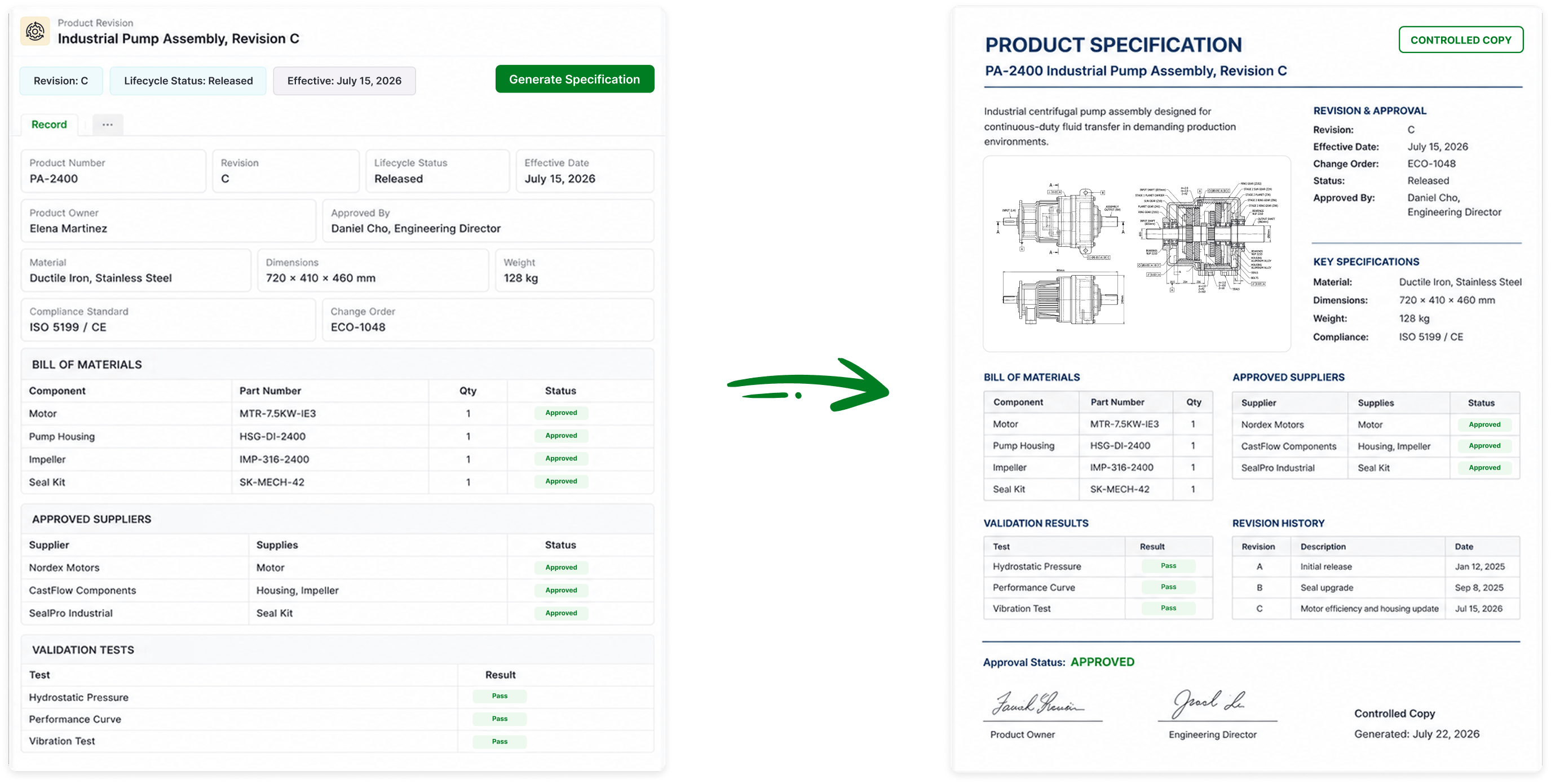
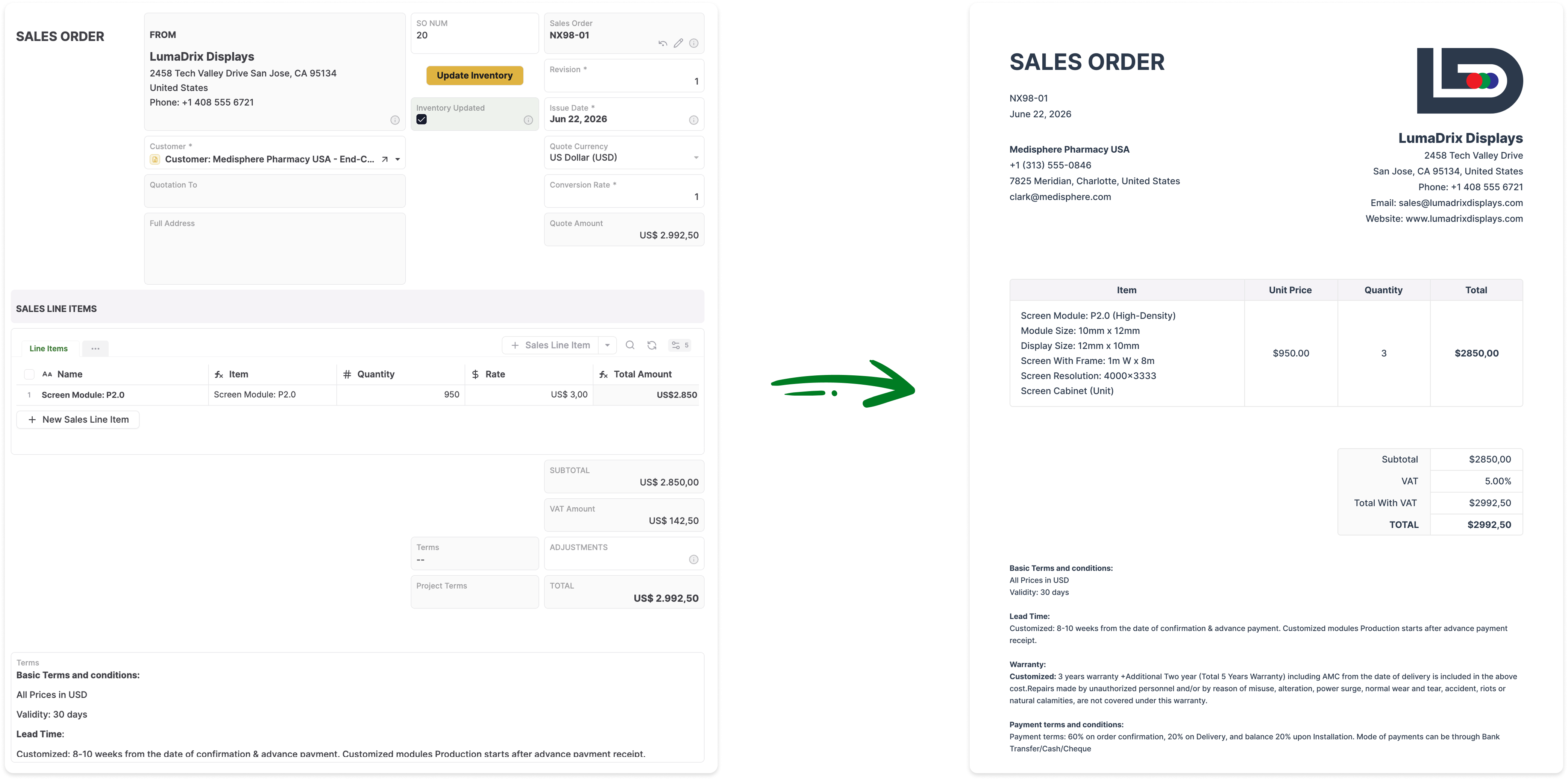
Generate Documents Directly From Your Live Records

Turn AnyDB records into professional, ready-to-share PDFs / Docx / XLSX with fields, linked data, tables, terms, and other relevant information automatically included.

How it Works?

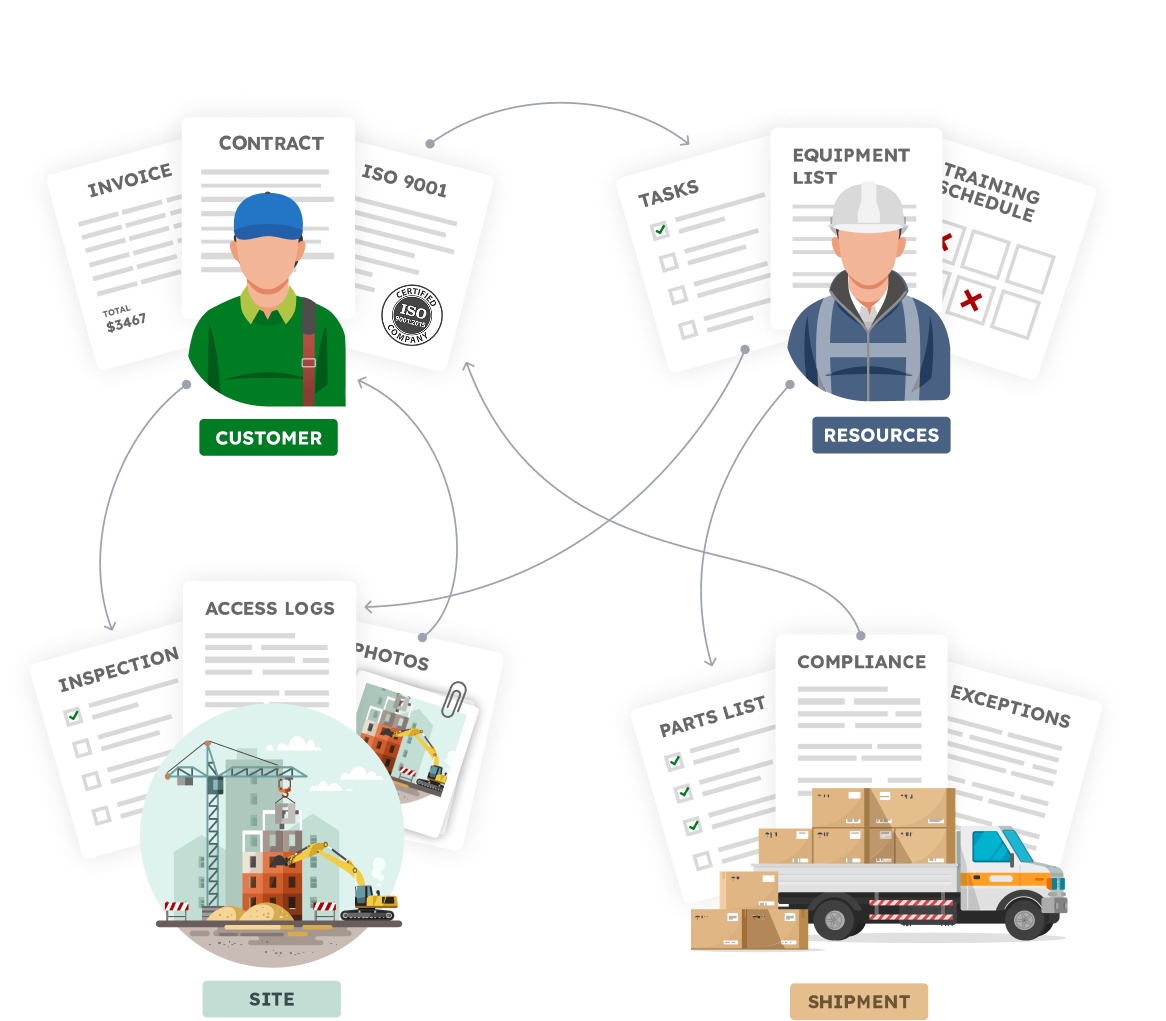
Your Business is made of Real Things

  • A vendor with certifications, contracts, invoices
  • A site with inspections, photos, access logs
  • An employee with tasks, training, equipment
  • A shipment with parts, compliance documents, exceptions

Define your structure, connect your data,
and automate how work flows.


Familiar to use.Built for real operations.


Reuse your Excel skills.
Design record and form layouts in a familiar 2D grid

Run Your Business Beyond Spreadsheets

Build a connected operational system with the familiarity of a spreadsheet and the structure needed to scale.

Get for Free
No credit card needed!

Frequently Asked Questions

How is AnyDB different from Excel?

Excel is a flexible spreadsheet for calculations, analysis, and ad hoc work. AnyDB is built for connected business operations. It organizes information around structured records such as customers, orders, inventory items, projects, assets, and vendors, with relationships, permissions, workflows, files, forms, and history built in.

Can AnyDB replace an operational Excel workbook?

Yes. AnyDB can replace spreadsheets used for inventory, order tracking, projects, assets, vendors, approvals, compliance, and other recurring business processes. Excel can still be used for specialized analysis while AnyDB becomes the live operational system.

Can I import data from Excel?

Yes. You can import spreadsheet data into AnyDB. The AnyDB team can also help map worksheets, columns, relationships, attachments, formulas, and business rules into a structured operational system.

Will AnyDB feel familiar to Excel users?

Yes. AnyDB includes table views, grid-based record layouts, formulas, filters, sorting, and other familiar patterns. The difference is that the data is stored as connected records rather than isolated cells in separate files.

Does AnyDB support formulas?

Yes. AnyDB supports Excel-style formulas for calculations, text processing, dates, conditions, lookups, and other record logic. Formulas work alongside structured fields, linked records, child records, workflows, and automation.

Can multiple teams work from the same data?

Yes. Teams can work from the same connected records while using different views, forms, pages, and permissions. Updates appear in the live system without copying information between workbooks.

Can customers and vendors submit or view information?

Yes. AnyDB includes forms and secure portals for customers, vendors, partners, contractors, and other external users. You control which records, files, fields, and actions each user can access.

Can AnyDB generate Excel files and other documents?

Yes. AnyDB can generate Excel workbooks, PDFs, Word documents, reports, invoices, purchase orders, certificates, and other business documents directly from live record data.

Does AnyDB include automation and dashboards?

Yes. AnyDB includes assignments, reminders, approvals, workflows, automation, charts, reports, calendars, and dashboards. These capabilities operate on the same connected records.

Can AnyDB help redesign our spreadsheet-based process?

Yes. Share your current workbook or process, and the AnyDB team can help identify the record types, relationships, permissions, forms, workflows, and reports needed for the first working system.